

How to Optimize Pinterest Pin
How to do an audit Pin images to improve your Pinterest business strategy – 3 part series with posts and video tutorials.
- If you have not had an audit in the past 12 months or ever,
- You hit a plateau with your Pinterest marketing,
- You want to attract your ideal audience,
- Increase your monthly viewers or gain more followers,
then this series is for you.
When you create new Pins, start from your audience’s perspective. Why do they use Pinterest? What kinds of ideas are they looking for? How can you help make decisions? – Pinterest
This is the third post in my three-part series about a Pinterest audit of your business account. This mini-series will give you an overview of how to audit your brand’s Pinterest account and make sure you are getting the most out of your time and money.
✨ READ PART 1: “How to audit Pinterest profile.”
✨ READ PART 2: “How to audit Pinterest boards.”
In this post, I’ll cover design elements of best practices for Pinterest Pins and your pining strategy. How to write a good descriptions and the best hashtags.
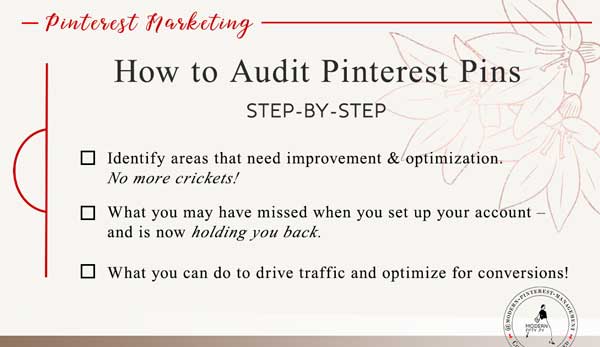
Optimize Pinterest PIN
- Are my pins add ready?
- Do my pins look right?
- How important is branding?
- Can I change the size of the pins?
What to look for when you optimize Pinterest pin of an existing account and how you can audit your own.
First to look for, Based on Pinterest best practices.
If you like this video, be sure to 👉 SUBSCRIBE to my YouTube channel.
# 1: Do You Have A Reach Pin?
You can make reach pins using the Pinterest validator. Just follow the process, it’s very simple.
Rich Pins provide more context about a Pin, like ingredients to a recipe or information about a product.
Right now it’s not certain what Pinterest wants to do with Reach Pins. There are rumors that they will be removed, but for now, use them to your benefit.
# 2: Pin Size
Pinterest recommend 2:3 aspect ratio (e.g. 1,000 x 1,500 pixels). Other ratios may negatively impact pin performance.
# 3: Showcase Your Brand
Don’t think of your Pinterest pin as an artsy type of thing. You want to avoid abstract or unclear imagery.
You don’t want to confuse Pinterest and user with your imagery, what you are trying to show.
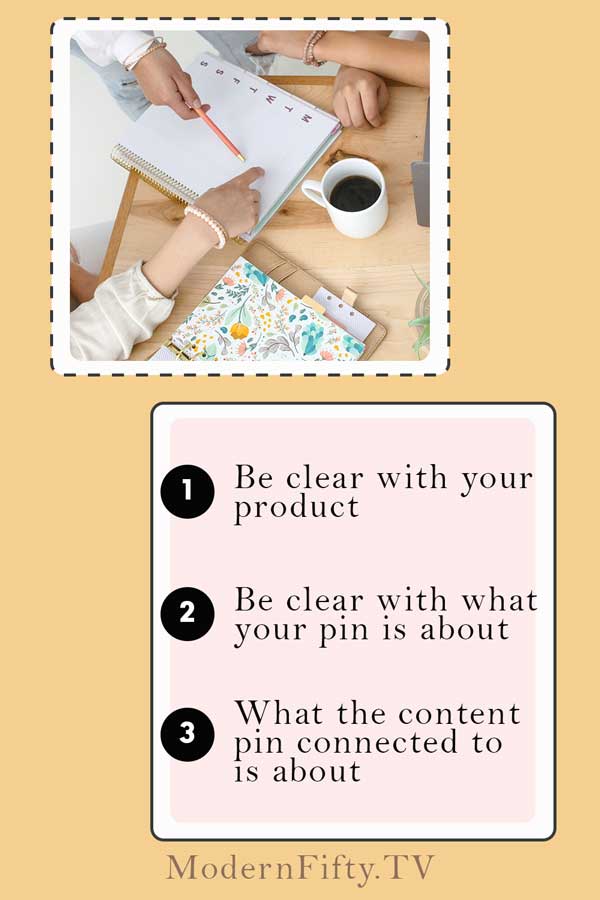
- Be clear with your product.
- Be clear with what your pin is about.
- What the content pin connected to is about.
- Don’t use click bate images.
📌 EXPERT TIP: Remember that Pinterest users are in DISCOVERY and INTEREST mode not a research mode.
Good Examples of Pinterest Account with a Good Designed Branded Pins Via Blossom.
# 4: Show Your Product in Use
Lifestyle images that show your product in use.
For digital products in addition to mock-up images show the use of your product in real life or connected to real life. So, user can imagine themselves using your product. It’s a photography trick and takes a lot of planning but will pay off immensely.
What Pinterest says: “Help the audience visualize the product or services in their lives. Campaigns that show someone using the product or service were 67% more likely to drive offline sales to lift.”
# 5: Design Recommendation
Put your logo on your pin bottom or top middle. Do not make it huge and distracting but make it present.
Use text overlay do give more information.
Text overlay should include a call to action or clear information about what this is that you are sharing with the pinner.
What Pinterest says. “Clear title and description help Pin get discovered in search. You can use up to 100 characters for your title and up to 500 characters for your description.”
I know not everyone needs a regular hands-on approach, which is why I offer Pinterest audits to help other content creators find areas of improvement. After an analysis of your Pinterest account, a daily strategy, and websites – I will show what to improve according to the latest with Pinterest marketing.

◼ Use clear Sen Serif or serif font, basic, clear and easy to read on mobile.
◼ Non-stock imagery does better then stock imagery.
If you decide to go with stock imagery, make it unique to your business. The problem with stock images that they been used many times and can be associated with Pinterest with the wrong content.
Pinterest uses visual cataloging. First, it looks at the image converts it into text, and catalog it.
Contrast can be eye catching and effective. High contrast between image and background of Pinterest or contrast within the pin.
PIN FACTS
This data are overall best practices shared by Pinterest in 2018.
✔ Call to action on a pin increase online sale by 6%
- Enroll
- Sign up
- Discover
- Take a quiz
- Make it now
✔ Consistency between the Pin and landing page increase sale conversion by 13%, the user will stay on your site longer.
✔ 22% higher online sales conversion when pin linked to moments.
Pinners come to Pinterest for all sorts of reasons, link your product to important life moments and holiday moments will give you more visitors to the site. Because that’s what people looking for.
For example, you sell travel gear and can be used year-round. You can create pins “Fall Travel Gear”.
✔ 28% increase in conversion on pins with a price point information in a description of the pin.
Be very careful with that, unless you are planning never to change the price do not put a price point on the pin. A pin can leave a very long time on the platform and you don’t want that information inaccurate in the future.
✔ 20% increase in email sign ups with the use of life reference.
People more likely to sign up for your email if they know how your product applies in their life.
EX: Plan your wedding easy with this wedding planner.
Description
The First 50 -60 characters may show up in people’s feeds, so put the most important information first. Make sure your most important keywords go in the first 50 characters whenever possible and if you can get a call to action there at the same time even better.
LOOK AT YOUR DESCRIPTION
📌 TIP: How long is your description?
1️⃣ In general, you want it to be 1-2 sentences long in natural language. No more than 500 characters
2️⃣ 2-3 hashtags.
- general hashtag
- specific hashtag
- branded hashtag
You can use up to 20 hashtags. Pinterest isn’t Instagram using more hashtags will not give you more feed. Pinterest shared no data on use of hashtags. Hashtags search used more keywording your pin then it’s being used for hashtag search itself.
Users may click on branded hashtag to see more.
This ALL the things I am looking for when I am editing an account and I will let my clients know here the things you can improve on.
📌 TIP: The last thing you want to do to audit your own pins is to go to your analytics 📈 and look at your lead (clicked) pins in the last 30, 90 days, and if you can 6 months.
Look to see what those leading pins are. Is there a theme?
Maybe pins with close up image of food doing better for you then anything else.
Or,
Maybe its collage of images “step-by-step” works for you.
Look at this type of things.
👀 Look at your pins that only other people pined, not what you pined. And that will tell you what people were interested in when they saw your pin.
Compare this result to what is leading to your pin. Is there a difference? Is it the same?
- If it the same, great continue to look at your pins as a default.
- If it’s different. Now you know to look there first.
What Do I Do Next?
Now you did all of that and you are thinking. My pins don’t look anything like that.
- What do I do?
- How do I change it?
- Where to start?
Don’t fear. Don’t freak out. Don’t have a big deal.
Information in this article divided in chunks.
- Design in style
- Things we know about design in style
- Facts
- Descriptions
1️⃣ Start with getting reach pins, always use a 2 : 3 ratio, and then ➡ start looking at your images.
◼ What are they visually look like?
◼ If I use different images am, I getting different results?
◼ Are my images clear and crisp? This is IMPORTANT.
📸 You can do all you want with descriptions, call to action, and pretty font, you can put your logo on your pin, but if you have a mildly bleary picture, one that is not inspiring or it’s just kind of hazy or poor quality photography. You are not going to get the results that you want.
That visual image is huge. There is a reason why food bloggers spend hours on their photography.
Think about it with your products and your information.
📌 TIP: Take one thing at the time.
For example:
1// My logo not visible on my pins. -> Take your logo and make it bigger and centered on the pin.
Great you implemented one thing.
When you are making your pins, next time look at another thing and improve upon it.
You don’t have to implement all those things right away.
2// Pick one and implement it. Next time pick another and implement it.
Take your time.
I know not everyone needs a regular hands-on approach, which is why I offer Pinterest audits to help other content creators find areas of improvement. After an analysis of your Pinterest account, a daily strategy, and websites – I will show what to improve according to the latest with Pinterest marketing.
Should I use hashtags in the Pinterest Pin description?
Yes, but some people say they aren’t that useful. The most important thing is to use keywords in your pin descriptions
How many Fresh Pins should I do for one post (URL)?
Pinterest recommends 5-10 fresh pins leading to one URL. Give yourself a few days/weeks between pins.
Some people do 30, but that creates a bad user experience.
Should I add text overlay over pin image?
Depends on your niche. It considered to be a good practice.
This mini-series will give you an overview of how to audit your brand’s Pinterest account and make sure you are getting the most out of your time and money.
✨ READ PART 1: “How to audit Pinterest profile.” https://modernfifty.tv/pinterest-profile-audit/
✨ READ PART 2: “How to audit Pinterest boards.” https://modernfifty.tv/how-to-audit-pinterest-boards/
✨ READ PART 3: “Are your Pins optimized?” https://modernfifty.tv/how-to-optimize-pinterest-pin/